 Updated 29-Sep-2026 = Copyright (c) 2026 Corvairs of New Mexico
=================================================================
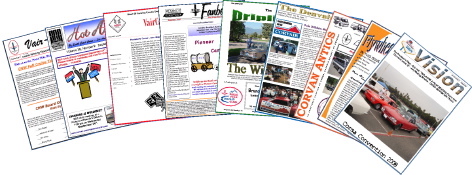
Download newsletters as PDFs at the official CNM Chapter website:
Corvairs of New Mexico
=================================================================
Updated 29-Sep-2026 = Copyright (c) 2026 Corvairs of New Mexico
=================================================================
Download newsletters as PDFs at the official CNM Chapter website:
Corvairs of New Mexico
=================================================================
 Current newsletter: Volume 52 - Number 10 - October 2026 - Issue 613 - 11.7 MB
==============
EXTERNAL LINKS:
Rocky Mountain CORSA Denver, Colorado Chapter Web Site
Pikes Peak Corvair Club Colorado Springs Chapter Web Site
Bonneville Corvair Club Bonneville, Utah Chapter Web Site
Tucson Corvair Association CORVAIRSATION Newsletters
Heart of America Corvairs VairCor Newsletters
South Coast Corsa, Los Angeles HOT AIR Newsletters
Vegas Vairs, Las Vegas, Nevada VEGAS VAIRS VISION Newsletters
Corvairs Northwest VAIR-IETY Newsletters
==============
=============
WHAT'S A PDF?
Wikipedia defines a "Portable Document Format" or "PDF" as a computer file format
created by Adobe Systems in 1993 for document exchange. PDFs represent documents
in a manner independent of the application software, hardware, and operating system.
Each PDF file contains a complete description of a fixed-layout 2-D document that
includes the text, fonts, images, and vector graphics which comprise the document.
PDF is an open standard that was officially published on July 1, 2008 by the ISO
(International Organization for Standardization or Organisation internationale de
normalisation) as ISO 32000-1:2008.
Just as a "text" file (made up of the ASCII character set) can be opened by any
computer no matter what word processor it uses, so "PDF" files can be opened by
any computer, whether it runs Microsoft Windows, Macintosh OS, UNIX or Linux.
You need software such as Adobe Reader or equivalent to open and print a PDF.
=====================================================
MAKING A PRINTED NEWSLETTER AND A WEB PAGE NEWSLETTER
In producing our newsletter and in maintaining my web pages, I use a text editor
to edit ASCII text files and a page layout program to format the articles and photos
that make up the newsletter. Then I save the finished newsletter as a PDF. I send
the PDF to our print shop for copying and put the PDF on my web page for viewing.
The web pages are set up and maintained by editing text files that contain the
HTML (HyperText Markup Language) commands that make the text and images appear
the way they do. Our newsletters (and many from other CORSA chapters) are made
of PDFs that you can download and look at on your computer monitor or print on
your printer.
If you are interested in the actual HTML code that makes up a web page, you can
sometimes see it by selecting "View Source" in your web browser.
In theory, every web page written in correct HTML language should look the same
whether you are using Internet Explorer, Safari, Firefox or another browser on
your computer to view the web page.
In practice, you will find that many authors of web pages, for various reasons,
use non-standard HTML commands.
Many web pages are extremely complex. I have tried to keep my web pages simple.
A simple structure is easier for you to view and easier for me to maintain.
For more, look at:
http://en.wikipedia.org/wiki/Portable_Document_Format
Tell me if you have problems opening these files. ( jimp @ unm.edu )
=END=
Current newsletter: Volume 52 - Number 10 - October 2026 - Issue 613 - 11.7 MB
==============
EXTERNAL LINKS:
Rocky Mountain CORSA Denver, Colorado Chapter Web Site
Pikes Peak Corvair Club Colorado Springs Chapter Web Site
Bonneville Corvair Club Bonneville, Utah Chapter Web Site
Tucson Corvair Association CORVAIRSATION Newsletters
Heart of America Corvairs VairCor Newsletters
South Coast Corsa, Los Angeles HOT AIR Newsletters
Vegas Vairs, Las Vegas, Nevada VEGAS VAIRS VISION Newsletters
Corvairs Northwest VAIR-IETY Newsletters
==============
=============
WHAT'S A PDF?
Wikipedia defines a "Portable Document Format" or "PDF" as a computer file format
created by Adobe Systems in 1993 for document exchange. PDFs represent documents
in a manner independent of the application software, hardware, and operating system.
Each PDF file contains a complete description of a fixed-layout 2-D document that
includes the text, fonts, images, and vector graphics which comprise the document.
PDF is an open standard that was officially published on July 1, 2008 by the ISO
(International Organization for Standardization or Organisation internationale de
normalisation) as ISO 32000-1:2008.
Just as a "text" file (made up of the ASCII character set) can be opened by any
computer no matter what word processor it uses, so "PDF" files can be opened by
any computer, whether it runs Microsoft Windows, Macintosh OS, UNIX or Linux.
You need software such as Adobe Reader or equivalent to open and print a PDF.
=====================================================
MAKING A PRINTED NEWSLETTER AND A WEB PAGE NEWSLETTER
In producing our newsletter and in maintaining my web pages, I use a text editor
to edit ASCII text files and a page layout program to format the articles and photos
that make up the newsletter. Then I save the finished newsletter as a PDF. I send
the PDF to our print shop for copying and put the PDF on my web page for viewing.
The web pages are set up and maintained by editing text files that contain the
HTML (HyperText Markup Language) commands that make the text and images appear
the way they do. Our newsletters (and many from other CORSA chapters) are made
of PDFs that you can download and look at on your computer monitor or print on
your printer.
If you are interested in the actual HTML code that makes up a web page, you can
sometimes see it by selecting "View Source" in your web browser.
In theory, every web page written in correct HTML language should look the same
whether you are using Internet Explorer, Safari, Firefox or another browser on
your computer to view the web page.
In practice, you will find that many authors of web pages, for various reasons,
use non-standard HTML commands.
Many web pages are extremely complex. I have tried to keep my web pages simple.
A simple structure is easier for you to view and easier for me to maintain.
For more, look at:
http://en.wikipedia.org/wiki/Portable_Document_Format
Tell me if you have problems opening these files. ( jimp @ unm.edu )
=END=